The New Experience
Starts here

BdSmart™ (Board Design Specification Measurement and Rendering Tool) is a software solution that assesses the health and function of semiconductor test load boards. Utilizing a customer’s existing equipment and readily available data, BdSmart instantly visualizes a load board from multiple perspectives. Views include artwork, schematic, and Celerint’s proprietary TreeView™, BdSmart™ empowers customers to better understand the health and integrity of each board thereby saving time, resources, and costs.

Our clients

Celerint’s BdSmart(TM) solution transforms the loadboard experience, saving a company time

Insight and Visibility

Uilizing a customer’s existing testers and interface hardware configuations, Celeint delivers a deep assessment of the semiconductor load board.

The BdSmart™ application contains all the information necessary for the user to make intelligent and actionable loadboard insights. Importing the assessment results, the user instantly receives a 360 degree view of the health, characteristics, and behavior of a loadboard.

Load Board Testing
Load Board Testing

On demand and executed in situ, BdSmart™ creates load board diagnostic test programs from the design files. The test results are immediately tabulated and can be viewed in and across all BdSmart™ views (Artwork, Schematic, TreeView™, and Packages).
Artwork Tab
Artwork Tab

Celerint’s Artwork tab allows the user to see a completely populated, multi-layered load board or to build the board layer by layer with instant pan and zoom control.
Schematic Tab
Schematic Tab

The Schematic view presents device symbols with full pin naming and mapped nets. Users can search for components and nets in a variety of ways.
TreeView™ Tab
TreeView™ Tab

TreeView™, unique to BdSmart™, creates a schematic sketch of the circuit. Selecting a pin or a component in one view and toggling to TreeView™ allows a user to understand what components and nets lie upstream and/or downstream from that component. The output provides two views: On the right, a pictorial view of the nets/connections; and on the left, an immediate comprehensive inventory (with the ability to collapse or expand for group/nets) with global search capability to find signals. When the left panel is fully expanded, it creates a complete “tree” of circuits.
Packages Tab
Packages Tab

BdSmart™ inventories and lists all load board packages. Selecting a package opens a detailed specification panel, which includes case/size, tolerance, voltage rating, temperature range, and mounting style. In one click, a user can quickly toggle to Artwork or TreeView™ to gain better perspective.

Our Products

BdSmart™ – assesses health of load boards

Tandem Handler Test Cell™ – double throughput by accessing under-utilized tester resources

Single Insertion Test – increase throughput in multi-temperature environments

Relevant to all applications

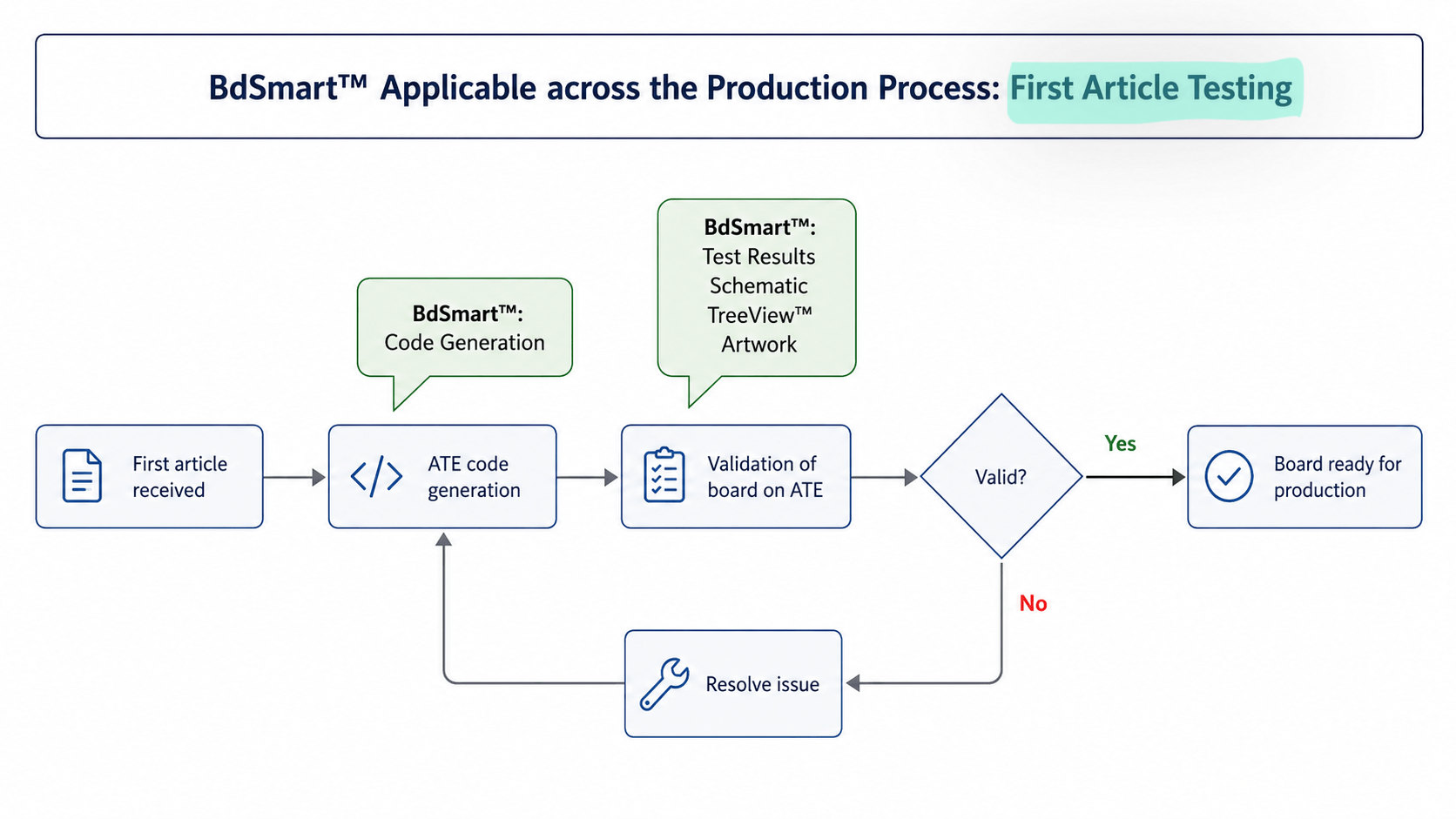
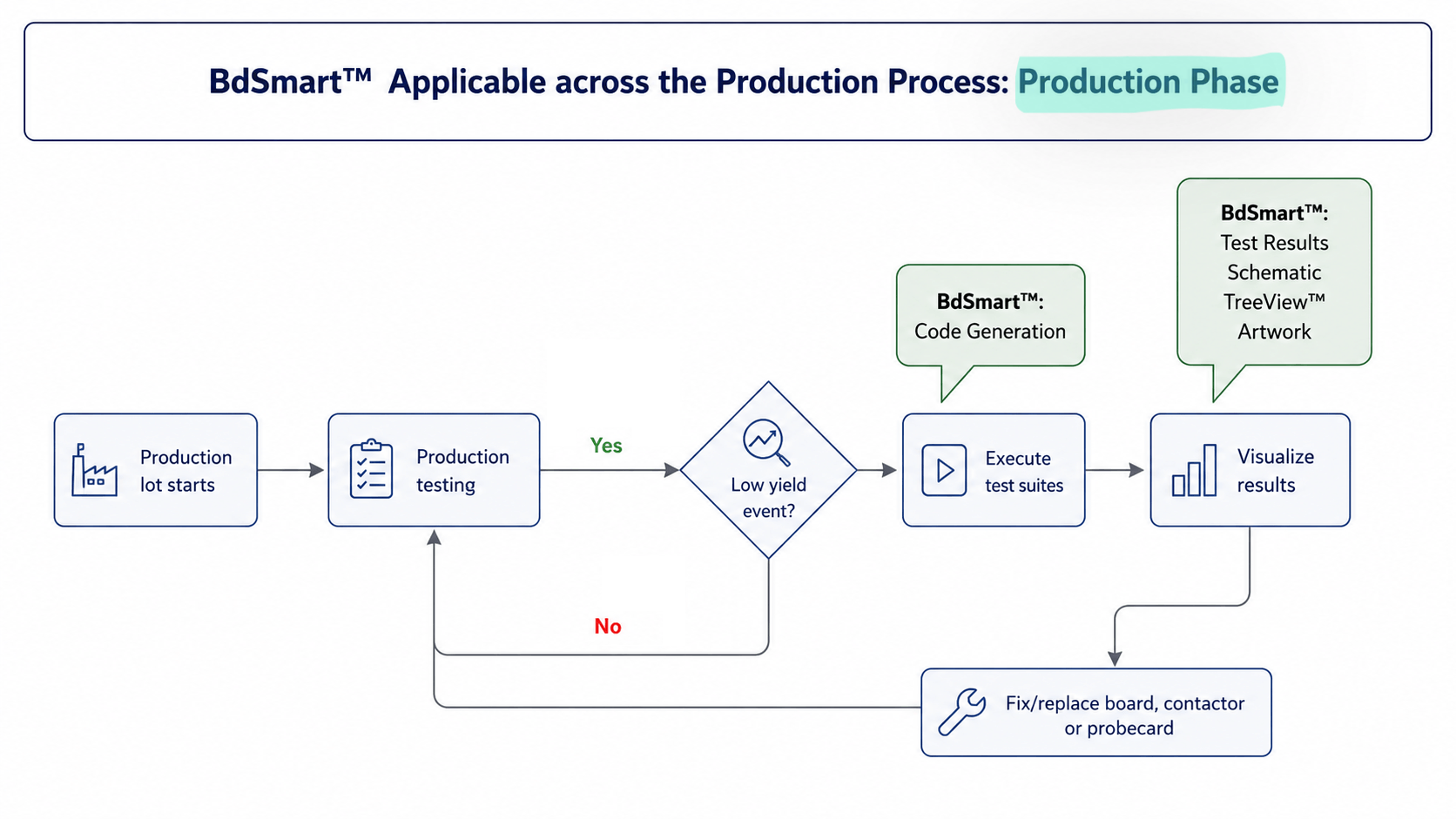
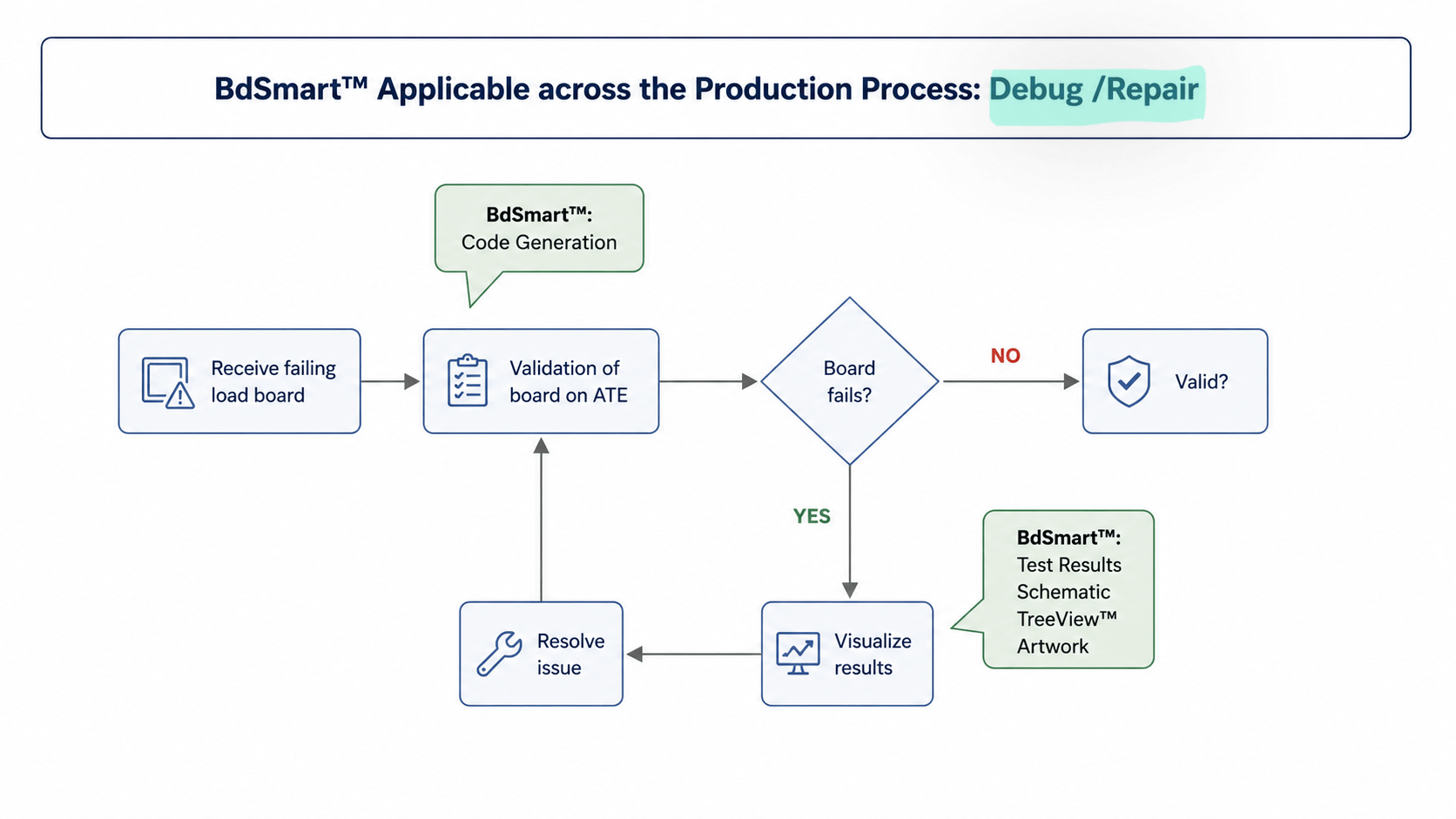
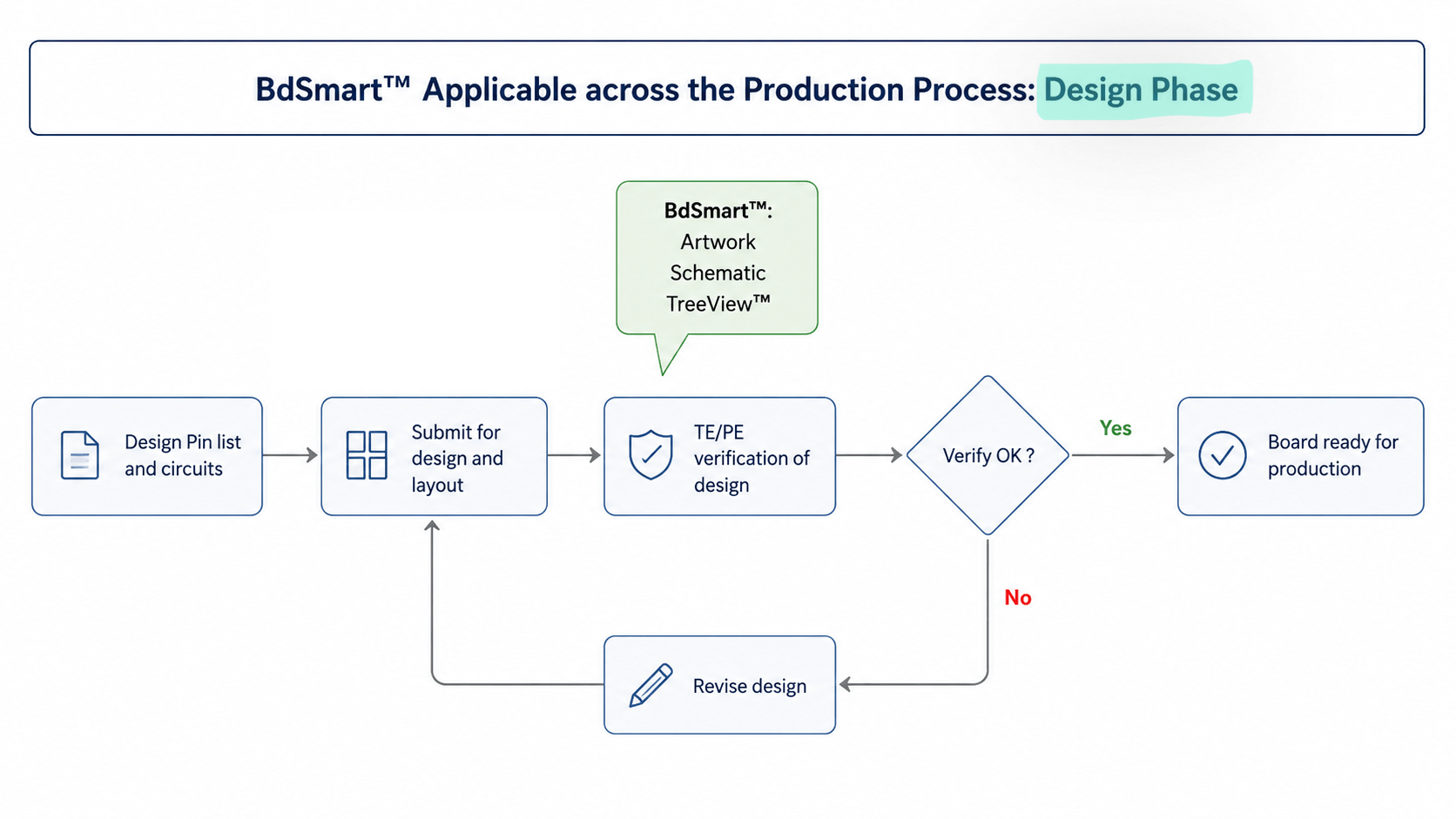
BdSmart supports back-end operations by providing health and visualization for production, validation, load board design, and repair/debug. Click each icon for more.

First Article Testing
Production
Validation
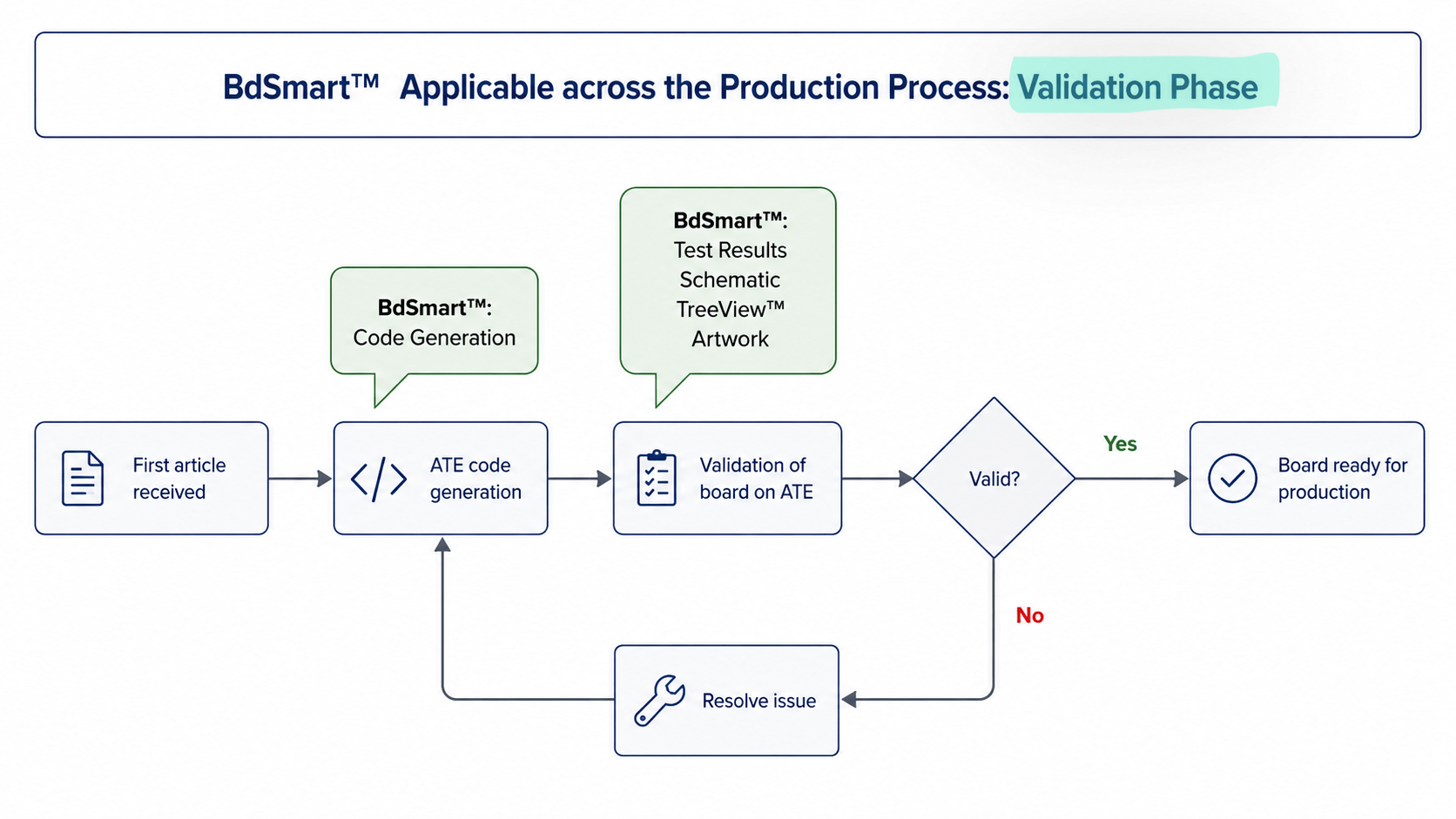
Relevant to all applications

BdSmart supports back-end operations by providing health and visualization for production, validation, load board design, and repair/debug.
Click each icon for more.

Repair/Debug
Design

About us

Celerint supports semiconductor test development and the back end of the semiconductor industry (assembly, packaging, test) through hardware and software solutions that maximize throughput, innovation, and efficiency, The result is reduced development risk, lower cost of test, and ultimately sustained/higher yield.

Ready to work with us?​